D'FaundaTools
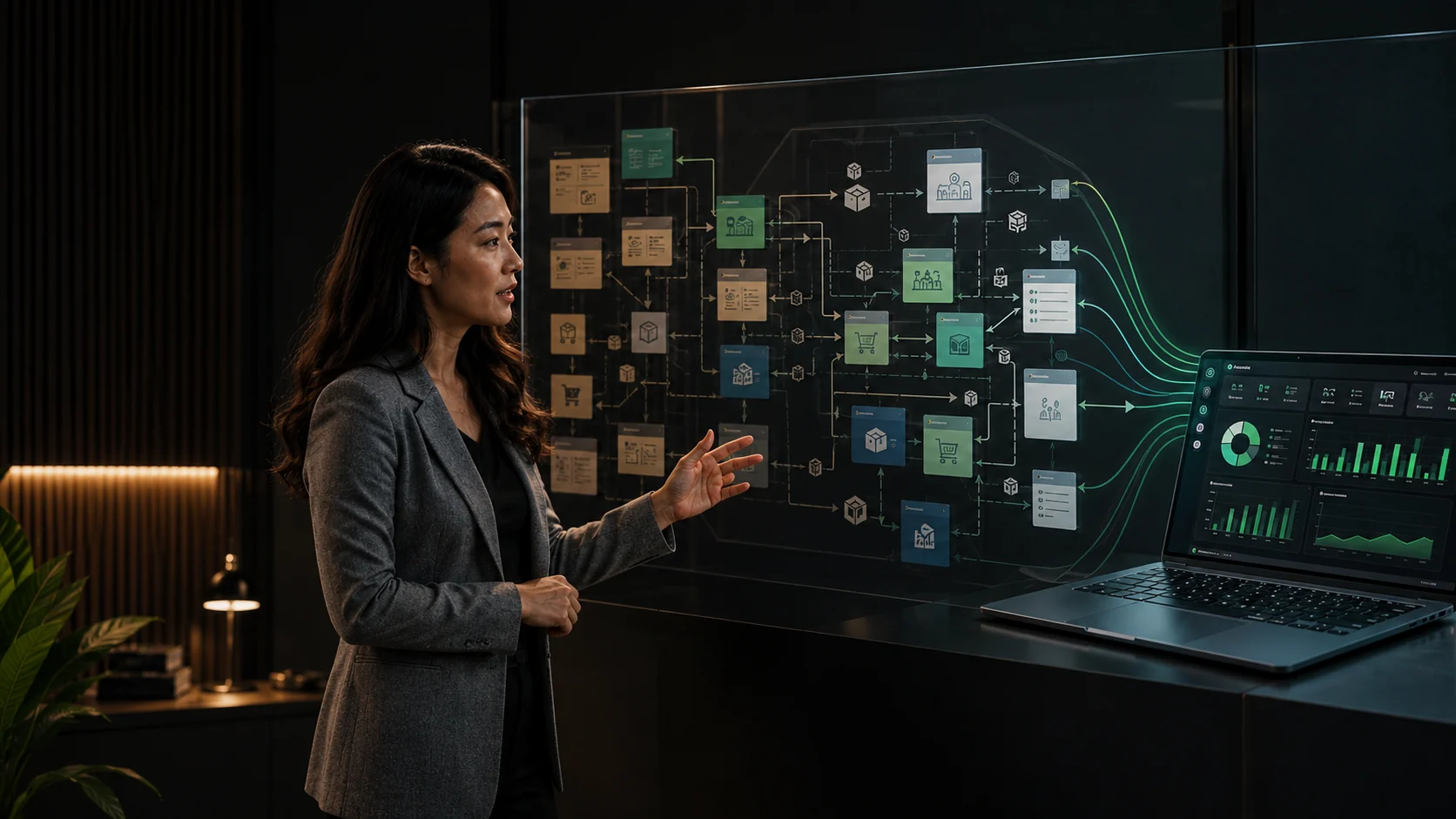
Presentation of a complex business workflow transformed into an integrated custom application

Custom Application

Systems built around the way your business works.

We study complex operational workflows and build the right Desktop, Web, or Android application for your business.

DesktopWebAndroidOffline / Online / Hybrid
Problems We Solve

When business processes become too complex to handle manually.

A custom application is not about making a business look sophisticated. It is about making important processes more organized, faster, and easier to monitor.

Data is scattered across multiple files and notes
Stock, transactions, or production are difficult to monitor
Repetitive tasks are still handled manually
Reports are delayed and prone to calculation errors
Existing systems do not match the business workflow
Owners struggle to monitor multiple users or branches
Application Types

Built for a wide range of operational needs.

Inventory & Stock ManagementFinance, Payables/Receivables & Cash FlowPOS / CashierProduction & ManufacturingBusiness OperationsMarketplace MonitoringHR & AttendanceCRM & Customer DatabaseBooking / ReservationsProcurement / PurchasingApproval & Internal WorkflowManagement DashboardMulti-branchReporting & Analytics SystemsInternal Business Applications

Can't find the type of application you need?

Tell us about your workflow and the problem. We will help determine whether the process can be simplified with the right system.

Platform

Selected based on how your team works.

Desktop Windows

For Windows computers or laptops—ideal for cashiers, warehouses, production, administration, and internal systems.

Web / Online

Accessed through a browser, making it easy to use across multiple devices and locations.

Android / Mobile

For sales, warehouses, production, monitoring, and field data entry that requires mobility.

Offline, Online, or Hybrid

The architecture is tailored for local/offline use or online multi-user data synchronization.

Multi-userMulti-deviceMulti-branchRoles & Access ControlData Synchronization

Only the features your business actually needs will be built.

Custom Multi-Platform System

NAU Production Management System

An integrated production management system connecting Admin, production teams, QC, and warehouse operations in one structured workflow.

Built specifically for NAU Printing's operational needs, the system manages the process from incoming orders and work-order creation through cross-division production, quality control, inventory management, and management reporting.

One central system connects the Web application, Windows Desktop, and dedicated Android division apps so each team can focus on the work relevant to its role without using an unnecessarily complex interface.

Web AdminWindows Desktop9 Android AppsProduction WorkflowQCWarehouse

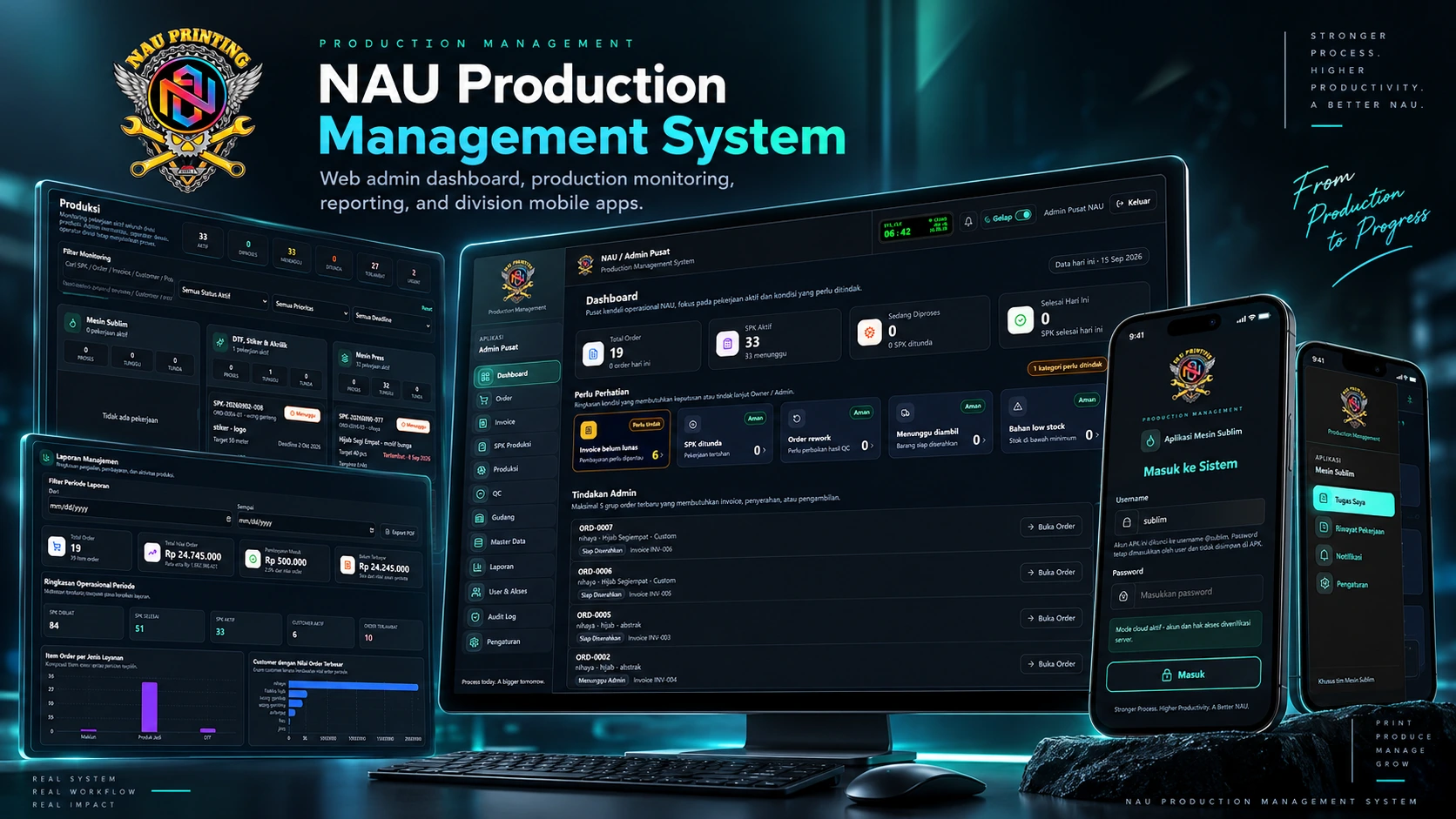
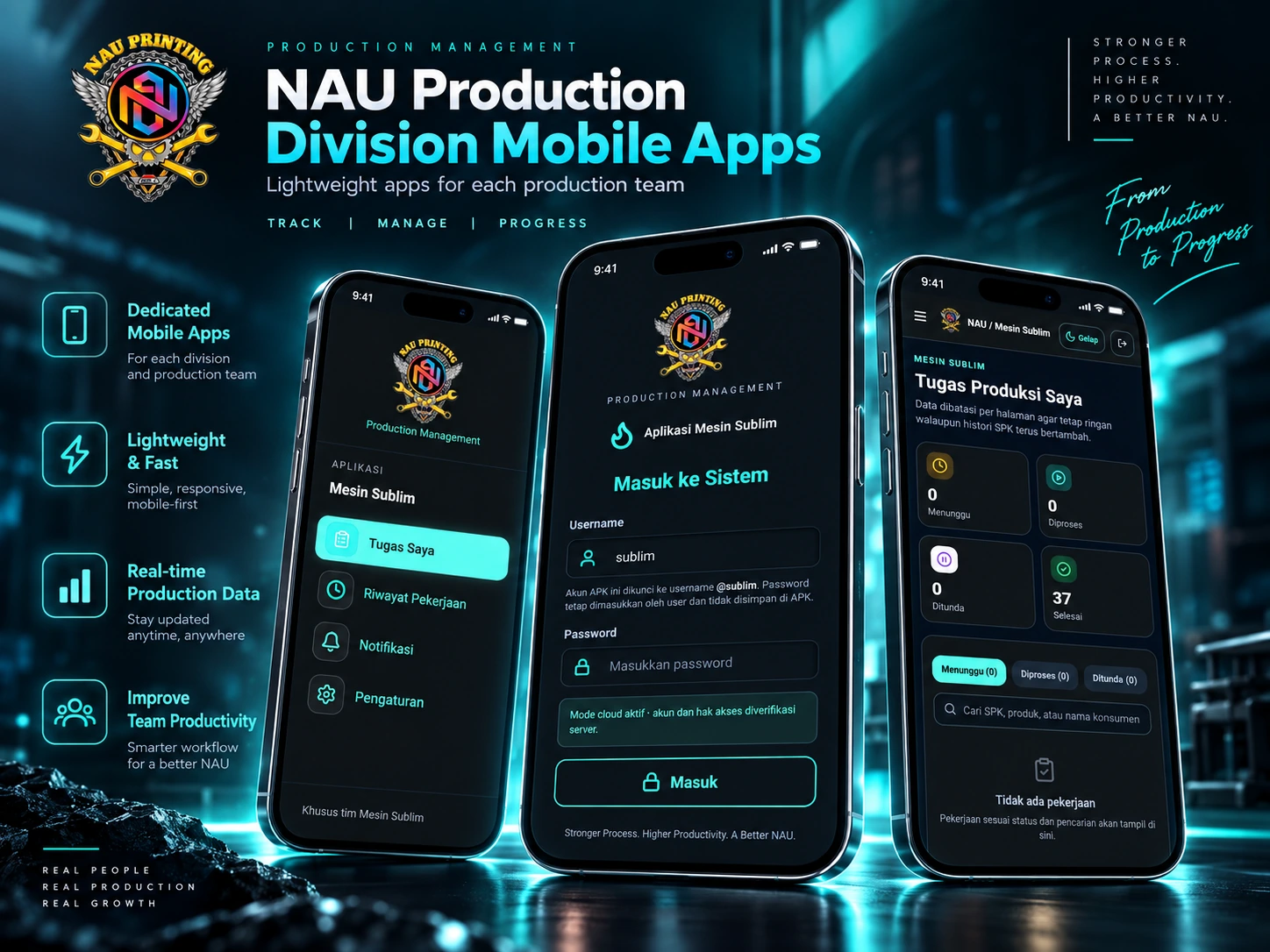
NAU Production Management System desktop dashboard and Android apps
Admin Dashboard — operational overview & actionable monitoring

Operational Control Center

Important operational information is visible from one control center.

The Admin Dashboard provides a quick view of operational conditions that need attention.

Admin can see order status, active work orders, work in progress, delayed work, stock conditions, and orders that require follow-up.

Project Overview

One System for the Entire Production Workflow

NAU Production Management System is designed for production workflows involving multiple divisions with different operational needs.

Admin gets a central control center for monitoring orders and production progress, while each division receives a dedicated app that only shows work relevant to its responsibilities.

The goal is straightforward: make production more organized, easier to monitor, and traceable from start to finish.

3 Platforms

Web, Windows Desktop, and Android.

9 Division Apps

Dedicated apps for production and warehouse teams.

1 Control Center

Admin can monitor operations from one central workspace.

End-to-End Workflow

Order → Production → QC → Warehouse → Completion.

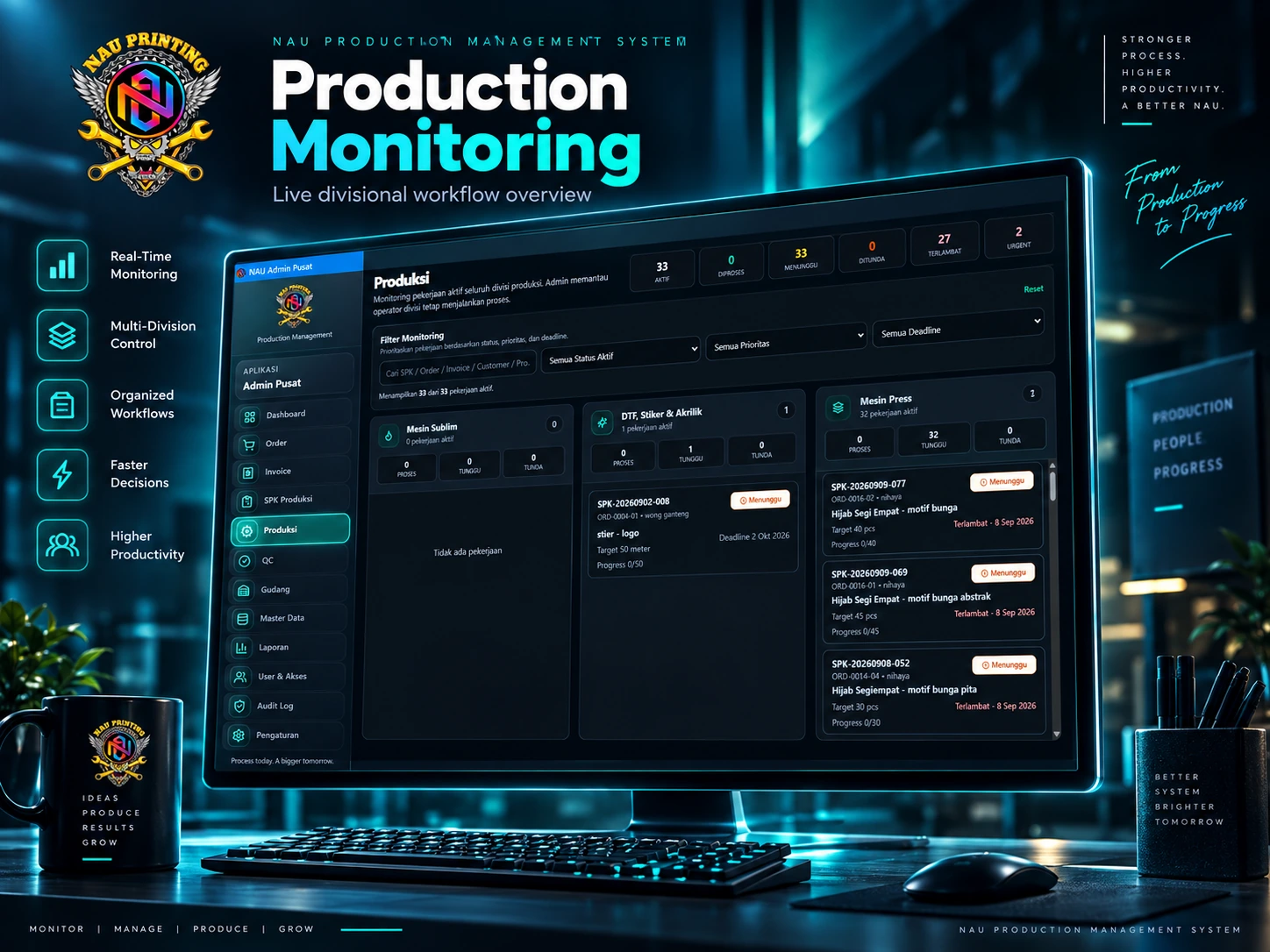
NAU Production cross-division production monitoring
Production Monitoring — centralized multi-division workflow

Production Monitoring

Cross-Division Production Monitoring

Production work can be monitored by division, status, priority, and deadline.

  • Waiting
  • In progress
  • On hold
  • Overdue
  • Completed

Search also helps Admin find work by work-order number, product, or customer.

Management Reports

Reports That Support Better Decisions

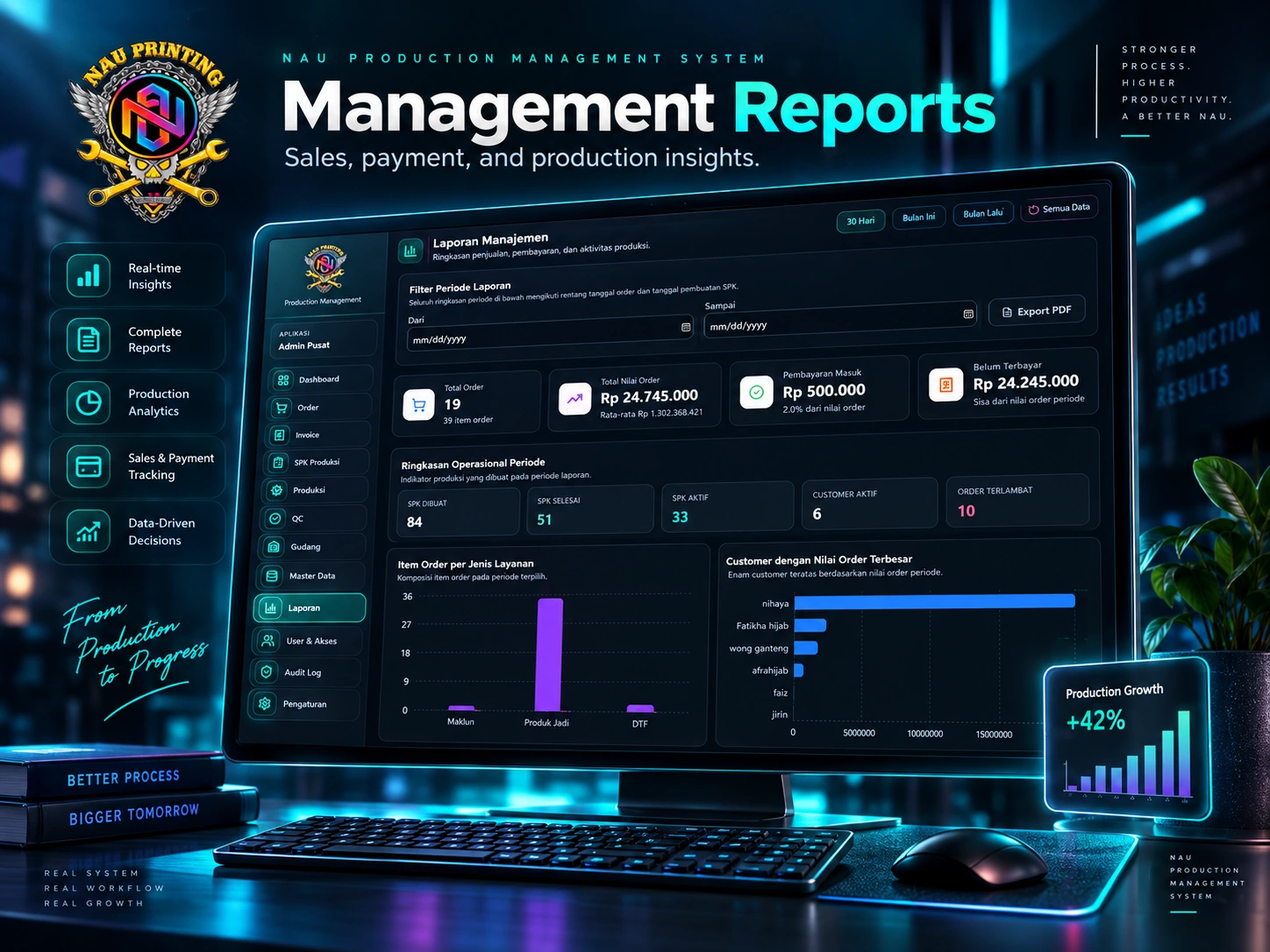
The system combines order, payment, production activity, and operational data into management reports.

Total orders
Order value
Payments received
Outstanding payments
Active and completed work orders
Active customers
Service-type composition
NAU Production management reporting showcase
Management Reports — sales, payment & production insights
NAU Production division Android apps showcase
Division Mobile Apps — focused workspace for production teams

Division Mobile Apps

Lightweight Apps for Every Production Team

Each division has an Android app with a focused workspace.

  • Waiting tasks
  • Work in progress
  • On-hold work
  • Work history
  • Notifications

This approach keeps the apps simpler and easier to use in a production environment.

9 Operational Apps

Workspaces are divided according to each team's operational needs.

Sublimation MachineDTF, Sticker & AcrylicPress MachineCuttingUltrasonicSewingFinishing QCFinished Goods WarehouseRaw Material Warehouse

Case Study

From interdependent workflows to a structured operating system.

Challenge

Production operations involve several divisions with work that depends on one another.

Without a centralized system, monitoring production progress, work-order status, QC results, stock movement, and follow-up work becomes difficult to do consistently.

Solution

D'Faunda Tools built a custom operational system that separates the needs of Admin and production operators.

Admin uses the central system to manage and monitor the overall process, while operators use simpler division apps to carry out their work.

All activity remains connected through the same data flow and process rules.

Result

NAU gained a more structured way of working with:

  • Centralized production monitoring
  • Clear task ownership between divisions
  • Recorded QC and rework processes
  • Raw-material and finished-goods stock control
  • Traceable work history
  • Management reports in one system
  • Lighter operational apps for production teams

Key Features

Features built around operational needs.

Order Management

Manage orders and work details in one system.

Production Work Orders

Create and monitor production work orders across the workflow.

Multi-Division Workflow

Distribute work according to the production flow and division.

Quality Control

Record QC results, including repair and rework processes.

Warehouse Management

Manage raw materials and finished-goods inventory.

Invoice & Payment

Monitor invoices and payment status.

Management Reports

Summarize operations, production, orders, and payments.

Role-Based Access

Each user receives access according to their responsibility.

Division Mobile Apps

Dedicated Android apps for each division’s work.

Technology

ReactCloudflareWeb ApplicationWindows DesktopAndroidCloud DatabasePrivate File Storage

Custom Application

Systems Should Follow the Business Workflow, Not the Other Way Around

Every business works differently. D'Faunda Tools builds applications around the operational flow the team actually uses—from simple processes to multi-division, multi-platform systems such as NAU Production.

Application Showcase

More than a concept—these are systems we have already built.

Each application is designed around the client’s operational needs and business identity.

Swipe sideways to view the next application.

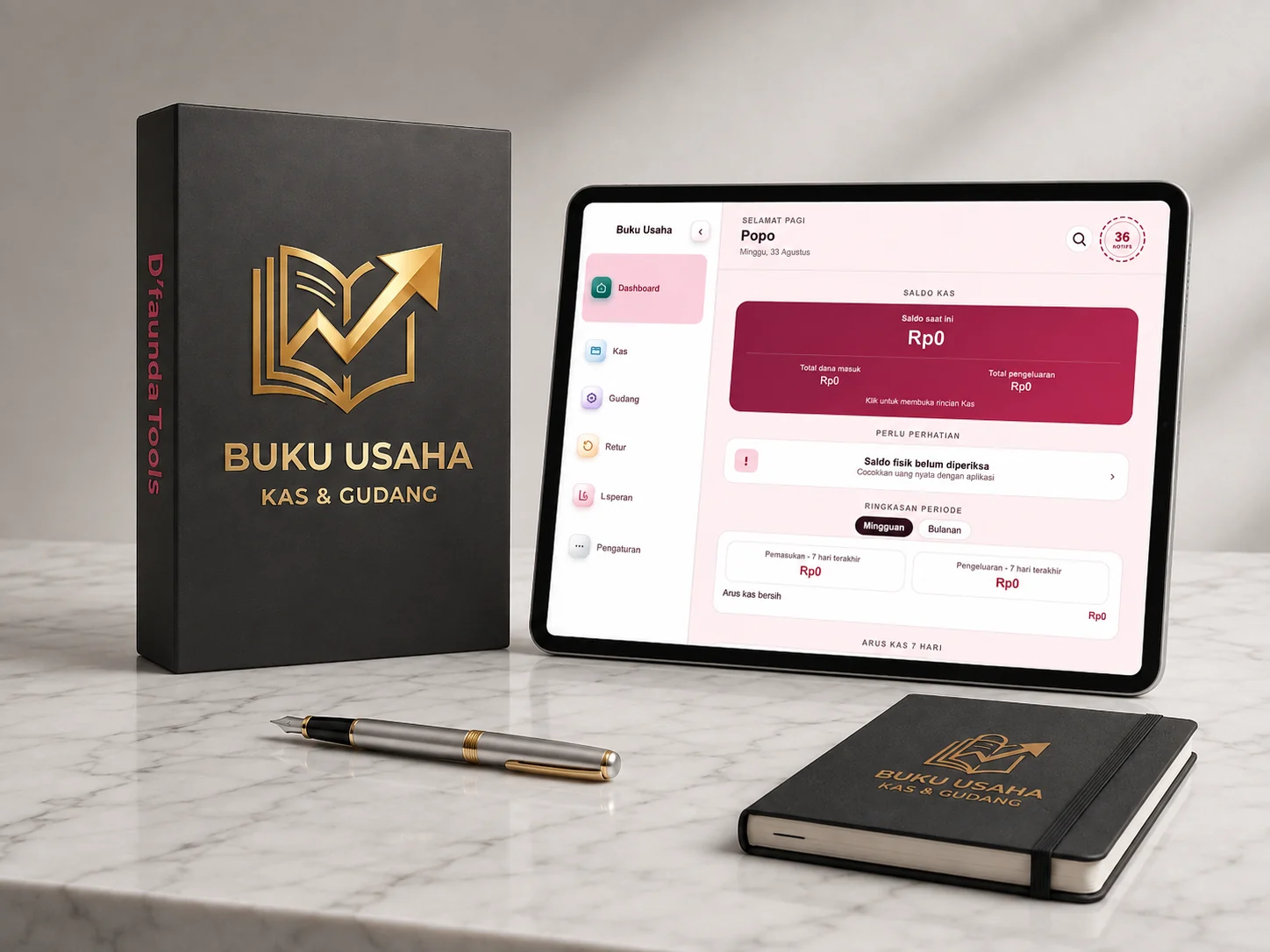
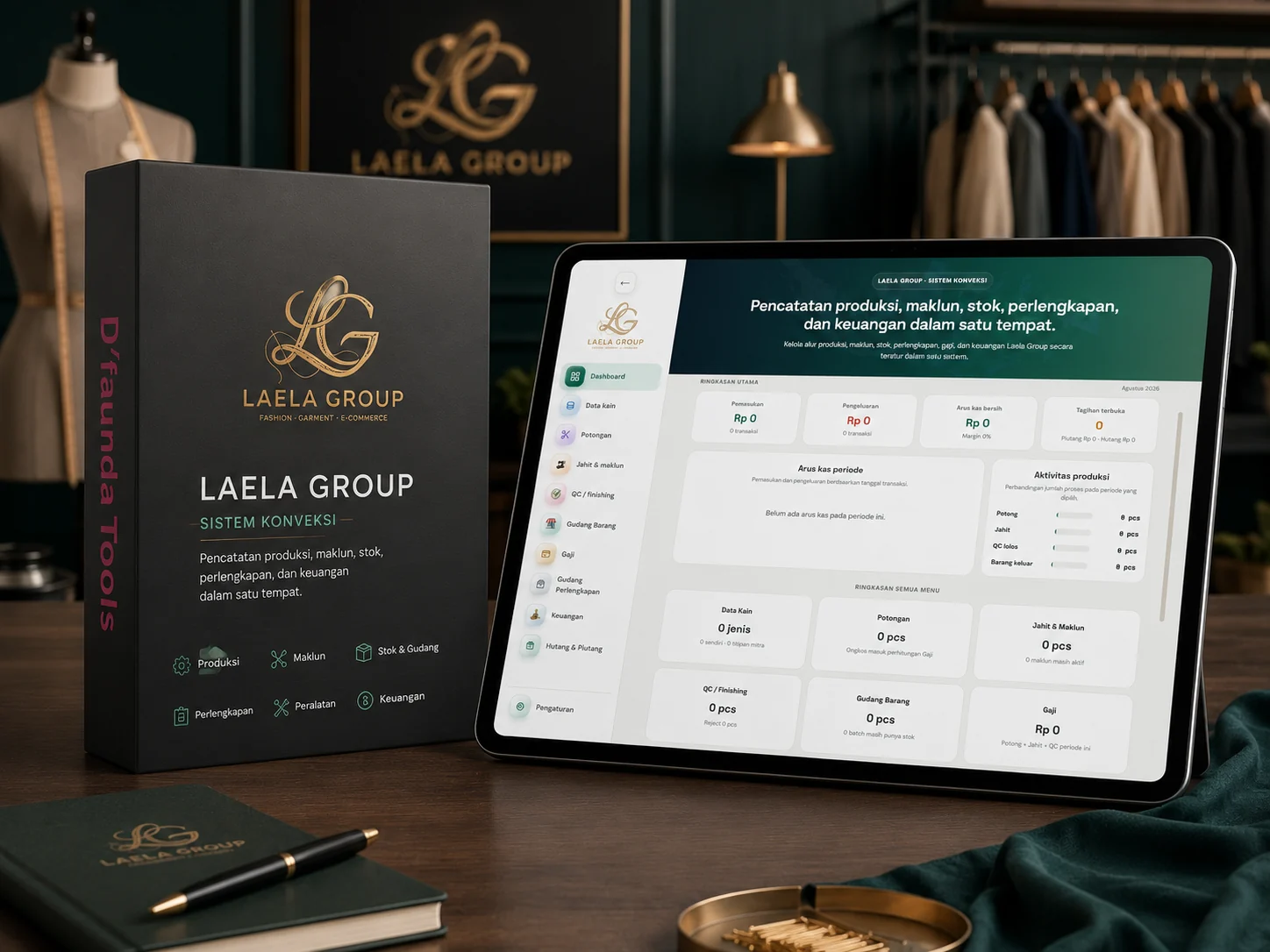
Laela Group cash and warehouse business system displayed on a tablet
Custom AndroidLaela Group

Business Operations — Cash & Warehouse

Custom DesktopEllin Hijab

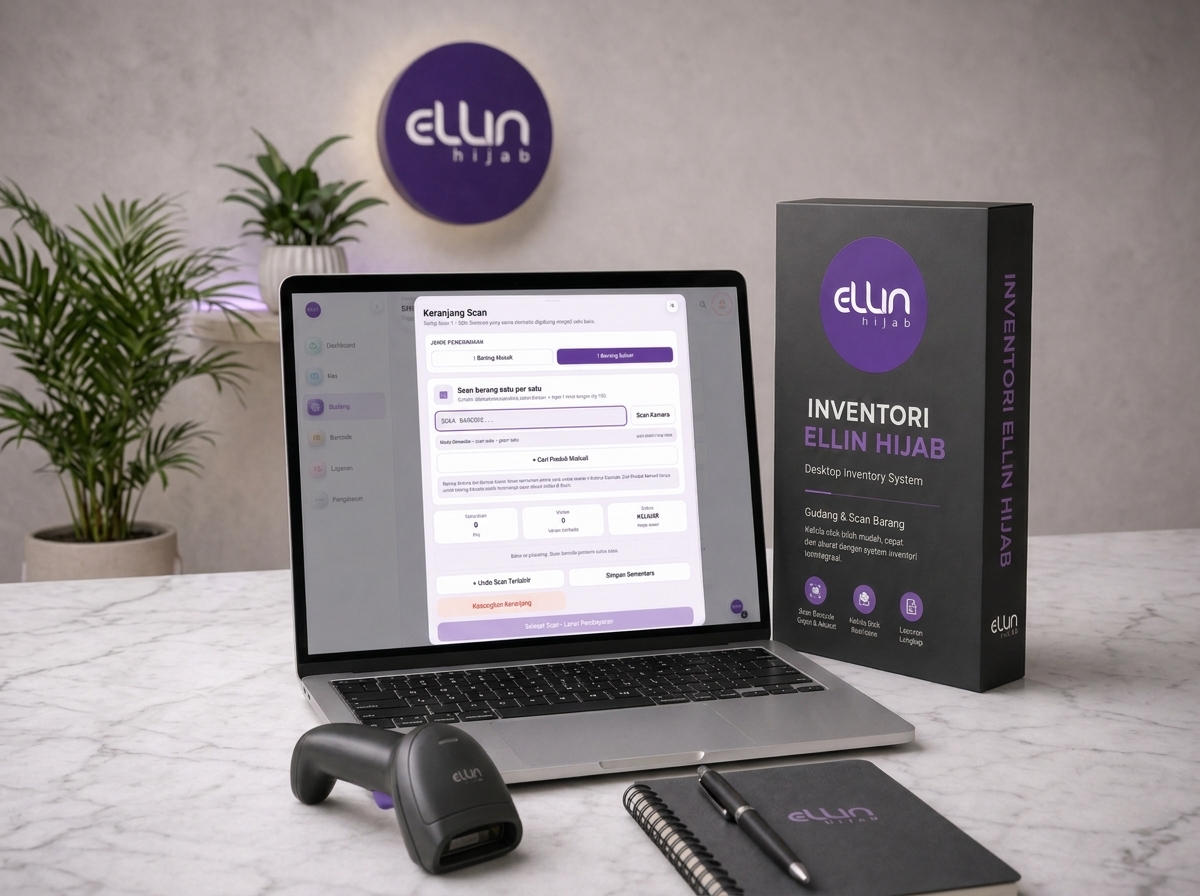
Ellin Hijab Inventory

Ellin Hijab Inventory with barcode scanning displayed on a laptop
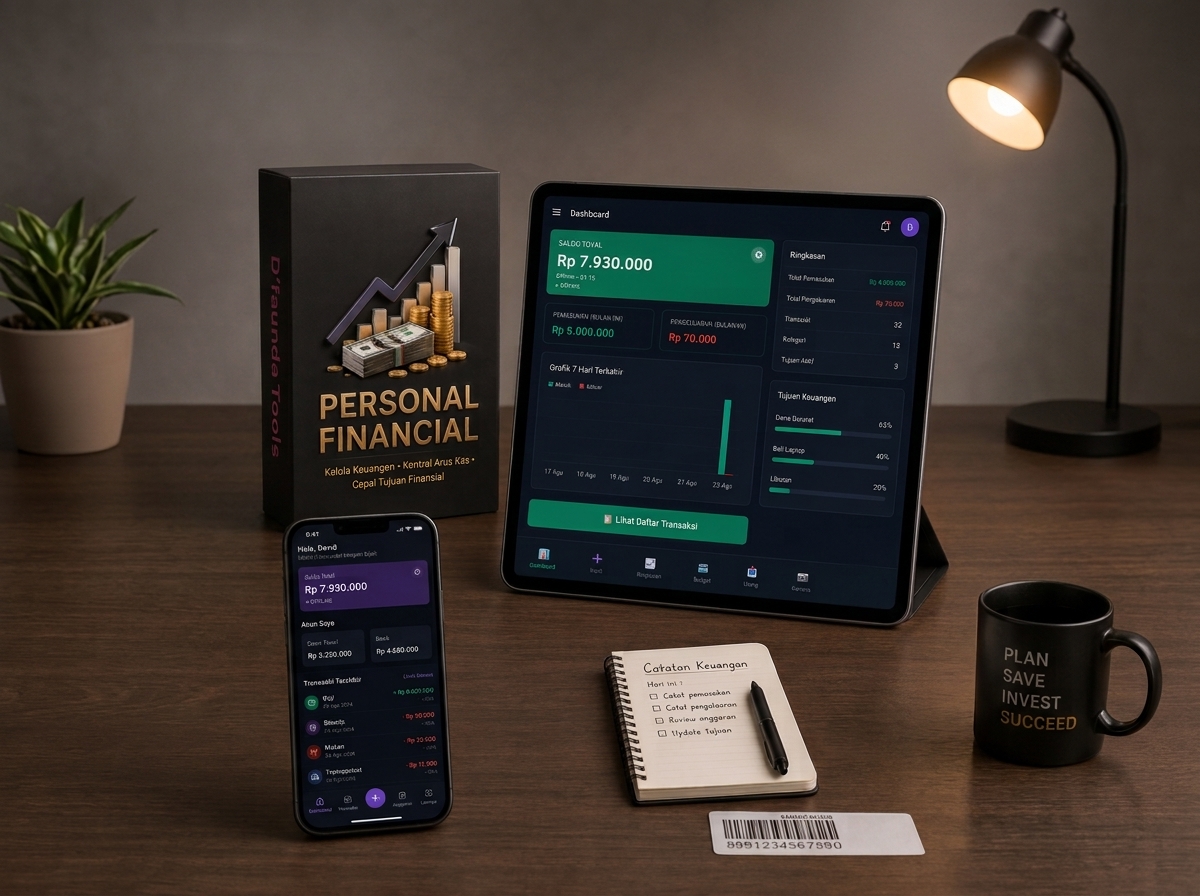
Rianti Collections personal finance application displayed on a tablet and smartphone
Custom AndroidRianti Collections

Personal Financial

Custom Multi-RoleLaela Group

Garment Operations System

Laela Group garment operations system displayed on a tablet

Case Studies

Real problems solved with the right systems.

NAU Production Management System logo

Production Management · Web + Windows Desktop + Android

NAU Production Management System

Problem
Work-order progress, QC, stock, and cross-division tasks need to be monitored in one consistent workflow.
Solution
A central system for Owner and Admin, plus nine dedicated Android division apps connecting orders, production, QC, warehouse, payments, and reporting.
Result
Production monitoring is centralized, task ownership is clearer, QC and rework are recorded, and work history remains traceable.
Ellin Hijab Inventory logo

Inventory & Finance · Desktop + Online

Ellin Hijab Inventory

Problem
Stock, offline/marketplace transactions, cash, payables, receivables, returns, and COGS need to be managed in one workflow.
Solution
A local-first system with barcode support, PDF reports, Owner/Admin roles, and Desktop–Online synchronization through Supabase.
Result
Stock, transactions, and finances become more organized, faster to record, integrated, and secured according to access permissions.
Laela Group Operations System logo

Garment Production · Android · 3 Roles

Laela Group Operations System

Problem
Production data, tailor workloads, wages, payments, and stock were scattered across manual notes and chats.
Solution
Three Android apps for Admin, Production Manager, and Tailor connecting the Fabric → Cutting → Sewing → QC → Warehouse → Sales workflow.
Result
Processes, stock, work, submissions, rejects, wages, and payments can be traced back to the responsible person.

Certain names or details may be anonymized to protect client privacy. Client logos are displayed only with permission.

View Full Portfolio
How We Work

Seven stages, transparent from start to finish.

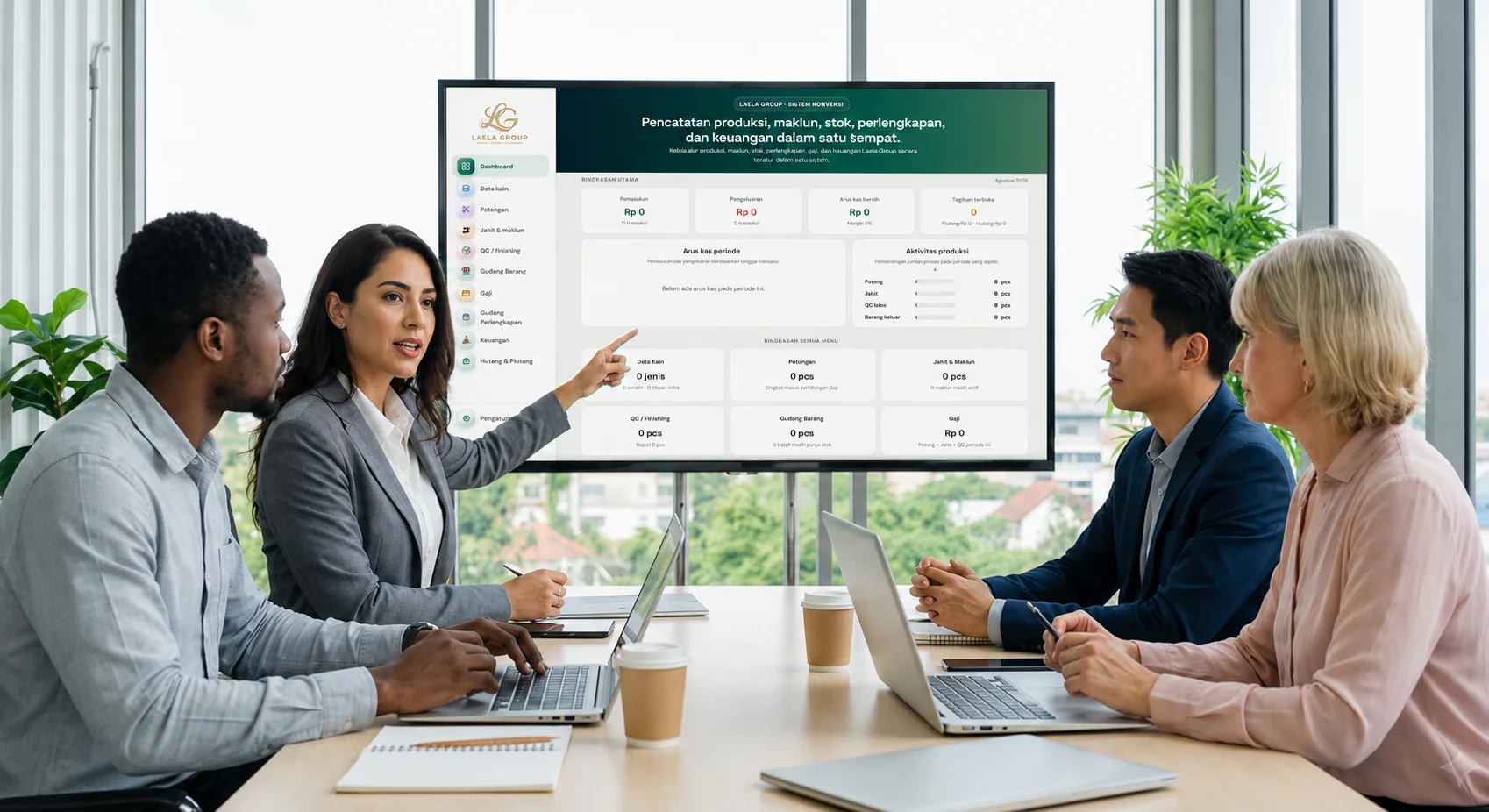
In-person discussion and presentation of a custom system with a clientIn Person
Remote custom application consultation through an online meetingOnline Meeting

Client Collaboration

Whether near or far, the system is developed through collaboration.

Consultations can be held in person or through online meetings. Workflows, access permissions, data requirements, and the application interface are discussed together so the system truly fits day-to-day business operations.

DiscussionWe listen to your current workflow and business challenges.
Needs AnalysisWe map the processes that need to be simplified and the data that needs to be organized.
Scope & ProposalWe define a clear scope, timeline, and cost estimate.
DevelopmentThe system is built in stages with regular progress updates.
TestingReal workflows are tested before the system is fully implemented.
ImplementationThe system is installed and your team is assisted in getting started.
SupportAssistance continues after the system is up and running.
Estimated Timeline

A realistic timeline without misleading promises.

Simple system± 2–4 weeks
Medium system± 1–3 months
Complex / multi-platformAfter analysis

Estimates may change depending on the number of features, workflow complexity, integrations, platforms, revisions, and data readiness.

Pricing & Payment

Pricing is based on your actual requirements.

Initial consultationFree
Down paymentAfter scope agreement
PaymentBy milestone
Revisions within scopeIncluded

Hosting or servers, domains, third-party APIs, and ongoing maintenance may involve additional costs when required. All details are explained before development begins.

Support & Handover

Project completion does not mean you are left on your own.

Testing before handover
Bug fixes during the warranty period
User guide
User training when required
Initial implementation assistance
Backup according to system architecture
User access control setup
Ongoing maintenance available
Additional feature development as needed
System configuration documentation

Data & Ownership

Business data remains the client's property.

Terms regarding source code ownership, licenses, databases, servers, and third-party services are explained from the beginning and adjusted according to the project agreement.

Before Consultation

Eight details to make the discussion more effective.

Not sure about the technical features yet? That is fine. Simply explain how your business currently works and which part causes the most difficulty.

Business / company name

Type of business

Problem you want to solve

Number of users and branches

Required platform

Main features you need

Target implementation timeline

Estimated budget range

Consultation Form

Tell us what your business needs.

Fill in the basic information below. Your answers will then be automatically prepared as a WhatsApp message to start the consultation.

This form does not store your data. The information will be formatted into a message and opened directly in WhatsApp.

FAQ

Questions before starting a project.

Do I need to know the technical features in advance?+

No. Simply tell us how your business currently operates and which parts are causing the most difficulty. We will help translate that into system requirements.

Can the application support multiple users or branches?+

Yes, when required. The number of users, branches, roles, access permissions, and data synchronization will be defined during the needs analysis.

Are revisions included in the cost?+

Revisions that remain within the agreed initial scope are included in the development process. Changes or features outside the scope will be discussed first.

Are there additional costs besides development?+

Hosting or servers, domains, APIs or other third-party services, and ongoing maintenance may involve additional costs when required by the project. Everything is explained before development begins.

Who owns the data and source code?+

Business data remains the client’s property. Terms regarding source code, licenses, databases, servers, and third-party services are explained from the beginning according to the project agreement.

Tell us what your business needs.

We will help analyze the most suitable system for your needs—your initial consultation is free.